
Test Your App
Grant a specific account access to your app before it's listed, for beta testing.
In your app version, under "Test Your App", you can grant access to an account on Commerce7 to use and test your app before it is live. This is a good way to get beta testers using your app before you publish, which we highly recommend.
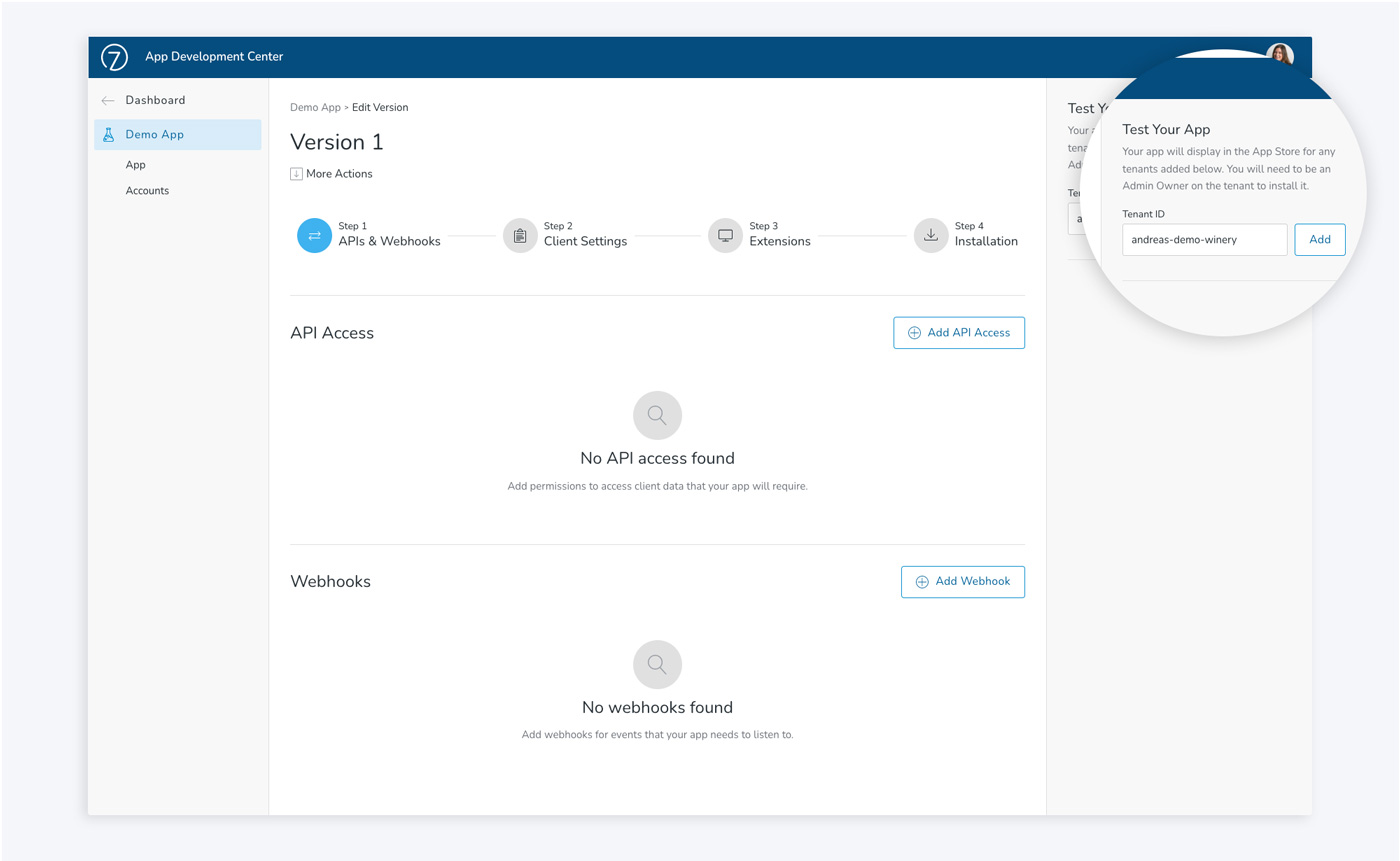
- Before you can add the tenantID, you must have a user account on the client's tenant. So the first step is to ask the client (or other tenant) to add you with a role of "Partner" to their tenant.
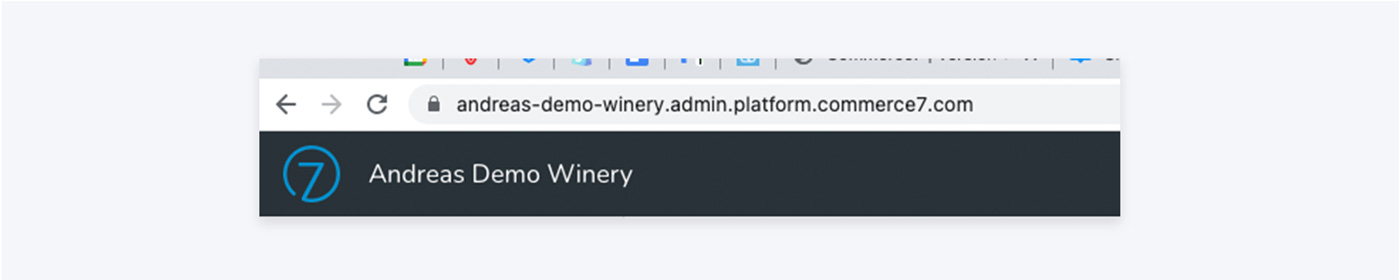
- In Commerce7 (not the App Development Center), find your account's tenantID from the URL. The first part of the URL is what we need (see screenshot below).
- Go back to the App Development Center and in your app version, enter the tenantID text and click Add. This will allow only this specific account to view your app in the app store and install it.
- To install, the client can then open Commerce7 Admin. Go to the App Store under Apps & Extensions and they'll be able to see your unpublished app.
- They should select your app and click Install. To install the app on a client's tenant, they must have Admin Owner access.
As you test and make updates to your app, they will take effect for the account. This allows you to make sure that everything is working as intended and update your app in real-time.
Please note: Although this is called "Test your App", any changes made to the account with your app installed, will take effect just as if it were a published app. We recommend testing with your sandbox account.
Updated about 2 months ago
Did this page help you?